Working in the app
Portfolios
Group projects into portfolios, compare their spend, and open one to see its projects, expenses, people and roadmap.
Open Portfolios in SFH PortfolioThe Portfolios page#
The Portfolios page shows every active portfolio's spend for the selected period. The chart at the top compares them, split into capex, opex and labor. Each portfolio's card shows:
- Its cost for the period and how many projects it has.
- How that cost splits between capex, opex and labor.
- How many people are dedicated to it, grouped by loaded labor rate.
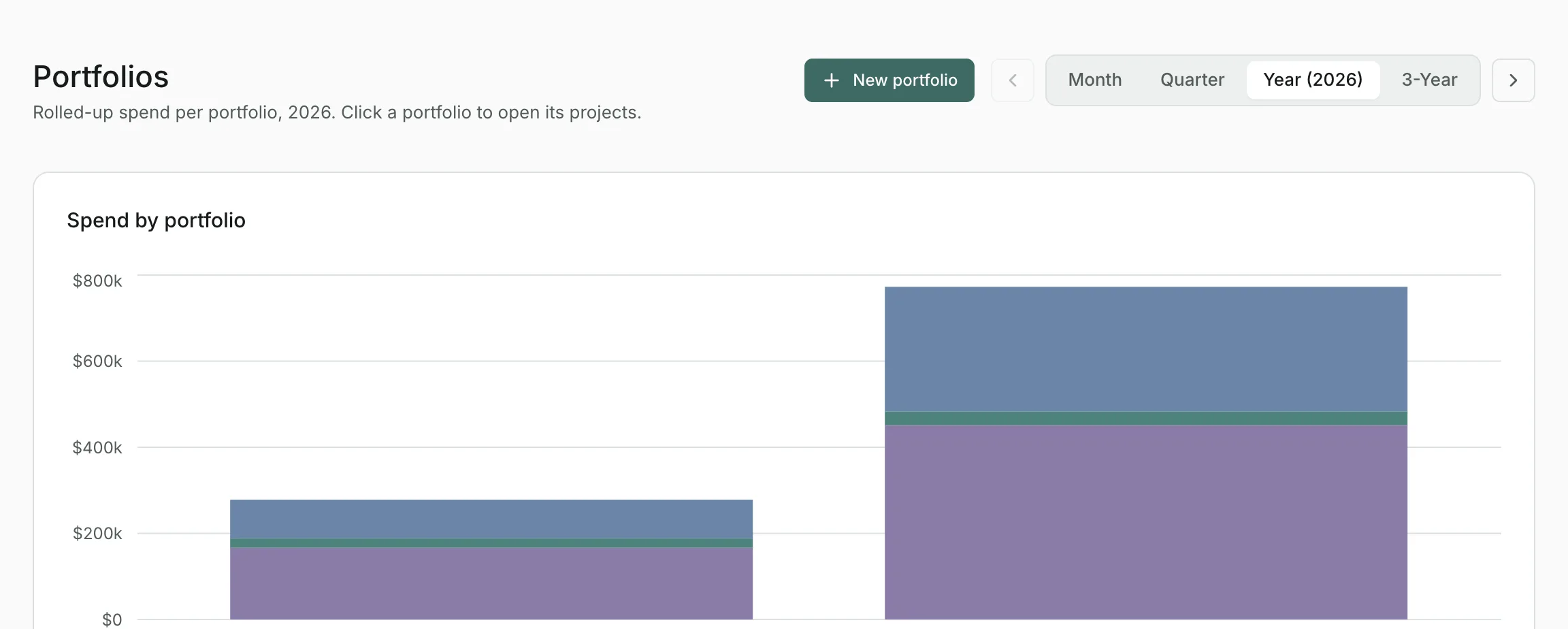
Select a card to open the portfolio.
Creating a portfolio#
Select New portfolio, enter a name and an optional description, and select Create portfolio. You can also type create a portfolio called Infrastructure in the command bar.
Inside a portfolio#
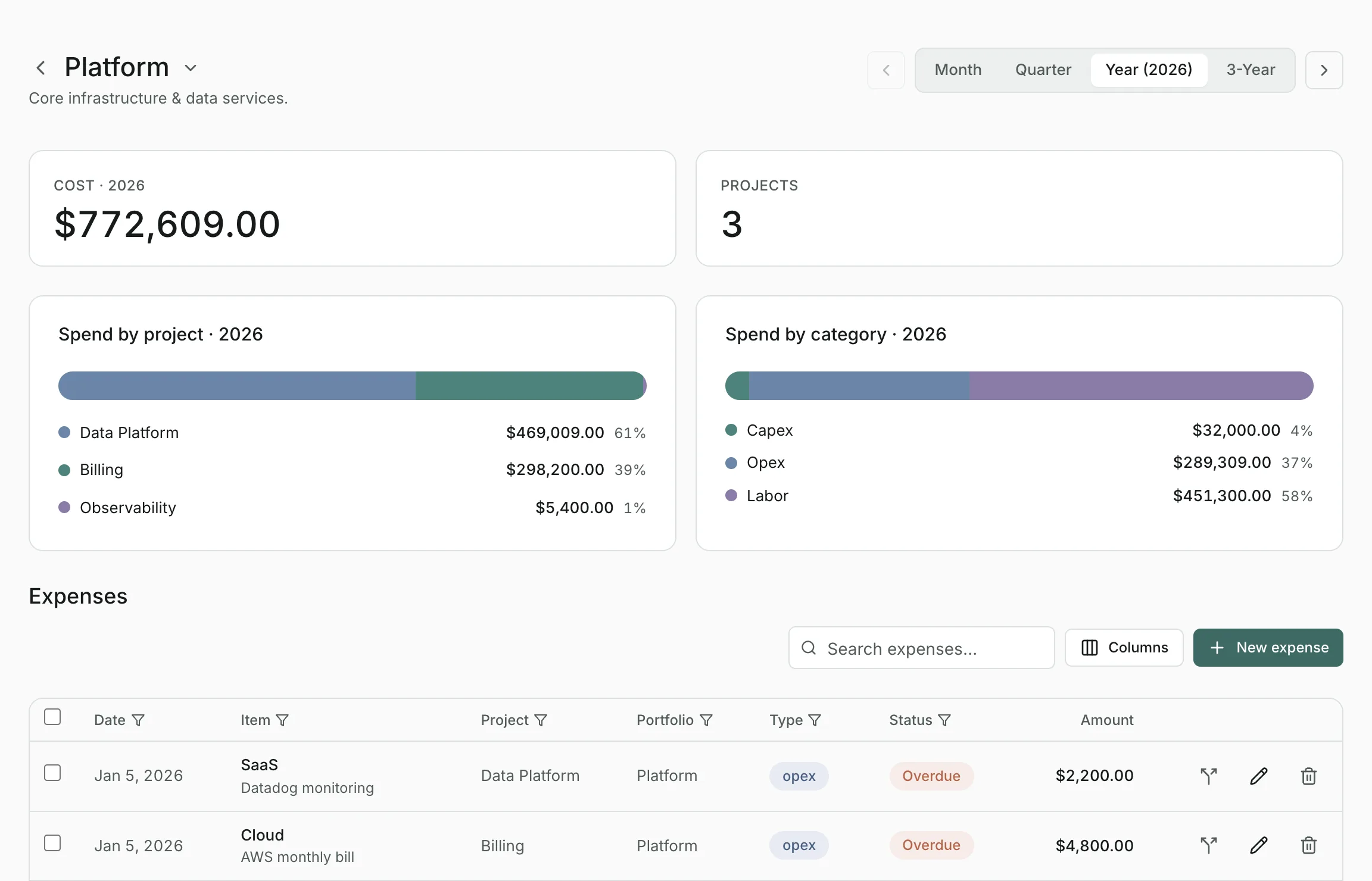
A portfolio's page shows, for the selected period:
- Its Cost, and how many Projects it has and how many of them had spend.
- Spend by project and Spend by category. Time of the portfolio's people that isn't allocated to any project appears as Unassigned time.
- Its expenses and labor allocations, which you can search, add to and edit right here.
- A Roadmap of its projects over time, marked Planned, Active or Completed.
Adding projects#
Open the portfolio and use the command bar: create project Checkout redesign with an $80,000 budget. Because you're on the portfolio's page, the project goes into it. You can include dates and a status in the same sentence.
Renaming and archiving#
Open the menu next to the portfolio's name:
- Edit settings changes its name and description.
- Delete portfolio takes it out of active use. It and its projects drop out of the Portfolios list, the Dashboard and every total, and its people's utilization falls accordingly.
A deleted portfolio isn't erased. It's listed under archived portfolios at the bottom of the Portfolios page, where Restore brings it back with everything in it.
Updated
Related topics
- ProjectsA project's budget, dates and spend over time, with its expenses and labor allocations, and how to edit, split, assign and archive.
- DashboardBudget against spend across every portfolio for the period you choose, with what needs attention and where the money is going.
- ResourcesManage your roster, loaded labor rates and departments, see who's allocated where, and draft allocations with AI.