Organization and account
Connect to Claude
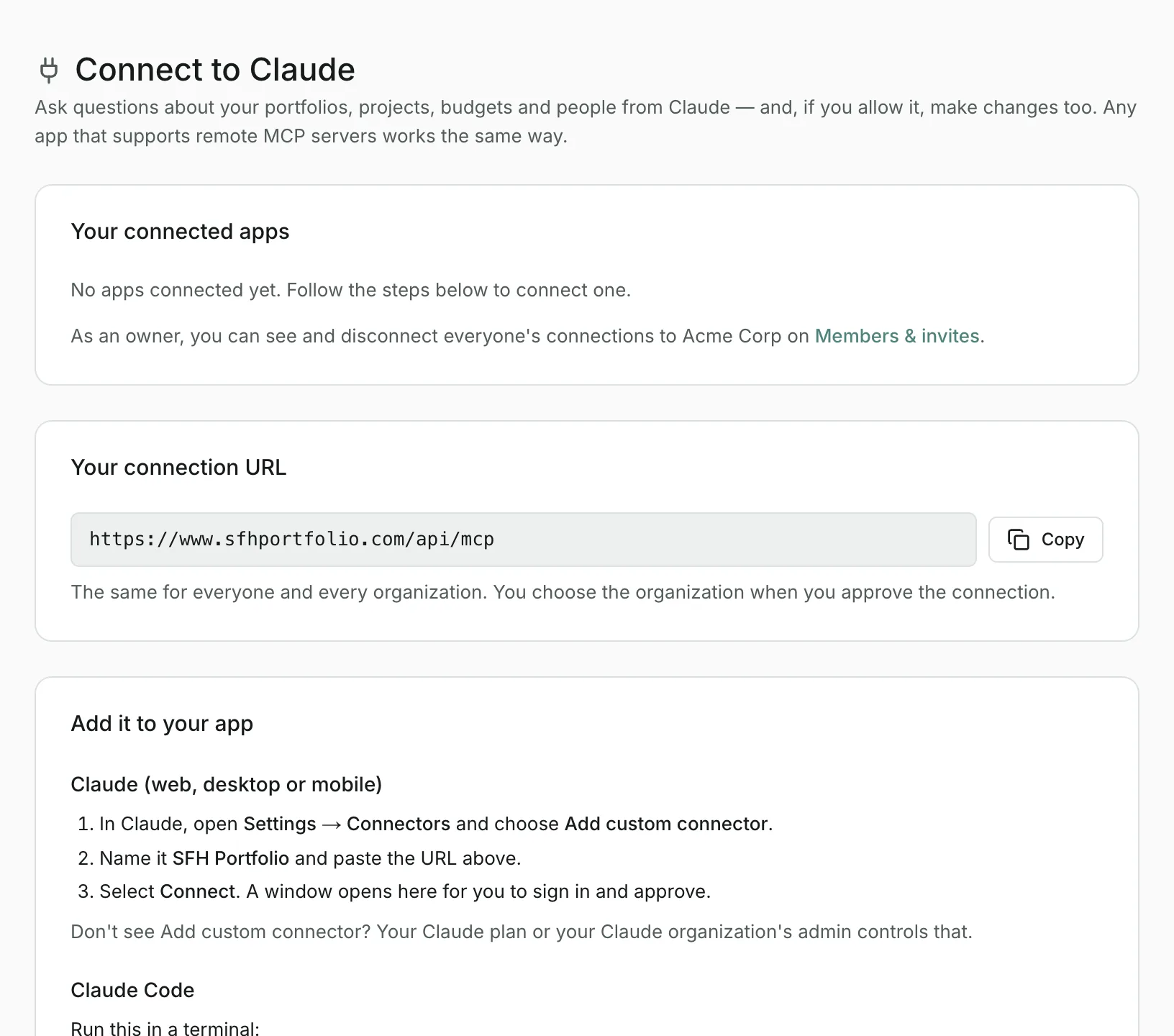
Use SFH Portfolio from Claude or any app that supports remote MCP servers: ask about your data and, if you allow it, make changes.
Open Connect to Claude in SFH PortfolioWhat connecting does#
SFH Portfolio works as a remote MCP server, so Claude can read your portfolios, projects, budgets and people and answer questions such as Which projects are over budget this year?. If you allow it, Claude can also create, edit, archive and delete records for you.
The connection URL#
Everyone uses the same address, https://www.sfhportfolio.com/api/mcp, for every organization. You can also copy it from Connect to Claude in the organization menu.
Claude on the web, desktop or mobile#
- In Claude, open Settings → Connectors and choose Add custom connector.
- Name it SFH Portfolio and paste the connection URL.
- Select Connect. A window opens on SFH Portfolio for you to sign in and approve.
Don't see Add custom connector? Your Claude plan, or your Claude organization's admin, controls that.
Claude Code#
Run this in a terminal:
claude mcp add --transport http sfh-portfolio https://www.sfhportfolio.com/api/mcp
Then run /mcp in Claude Code and choose sfh-portfolio to sign in and approve.
Other apps#
Any app that supports remote MCP servers with OAuth sign-in works: add the connection URL as a server, and the app sends you to SFH Portfolio to approve it.
What you approve#
- Organization: a connection is tied to the organization you choose, and can't switch. To use another one, add a second connection and choose it there.
- Read only or Also allow changes: with changes allowed, the app can create, edit, archive and delete. Every change it makes is recorded in the audit log under your name.
- It sees only what you can see in that organization.
Staying connected and disconnecting#
A connection stays signed in as long as it's used at least once every 30 days. After a longer gap, reconnect from your app and approve it again.
Your connected apps are listed at the top of Connect to Claude. Select Disconnect to cut one off; it stops working on its next request. If you leave the organization, or are removed from it, its connections stop working straight away.
Updated
Related topics
- Members and invitesInvite teammates with a link, choose who's an owner, remove people, and see the apps connected to your organization.
- Audit logSee every create, update and delete of your organization's financial data, who made it and when, with the values before and after.
- The command barSearch everything as you type, make changes in plain English, and ask questions about your data from the bar at the top of every page.