Getting started
Getting started
What SFH Portfolio tracks, how portfolios, projects, expenses and people fit together, and the first things to set up.
What SFH Portfolio is#
SFH Portfolio keeps an engineering organization's budgets, spend and headcount in one place. You plan the year by setting budgets and assigning people to projects, then track what's actually spent as the year goes on.
The building blocks#
- Organization: everything you see belongs to one organization. You can belong to several and switch between them. See Organizations and scenario branches.
- Portfolios: top-level groups of work, such as a product line or a platform. See Portfolios.
- Projects: live inside a portfolio, each with a budget, dates and a status. See Projects.
- Expenses: costs recorded against a project, as capex, opex or labor, one-time or recurring. See Expenses.
- Resources: the people on your roster. Each person's monthly cost comes from a loaded labor rate, and allocations assign a share of their time to projects. See Resources.
- Annual budgets: one top-down budget per fiscal year, which the Dashboard measures spend against. See Annual budgets.
How costs add up#
Every figure in the app comes from two sources: the expenses you record, and the cost of your people.
- An expense counts in the month it falls in. A recurring expense counts once per occurrence.
- A person's loaded labor rate is their full monthly cost. The share of their time allocated to a project counts as that project's labor, month by month.
- Time nobody has allocated still costs money. If the person belongs to a portfolio, it shows on that portfolio as Unassigned time. If they don't, the Dashboard counts it as idle payroll.
The Dashboard, portfolio pages, project pages and the Expenses list all use the same calculation, so their totals agree with each other.
First steps#
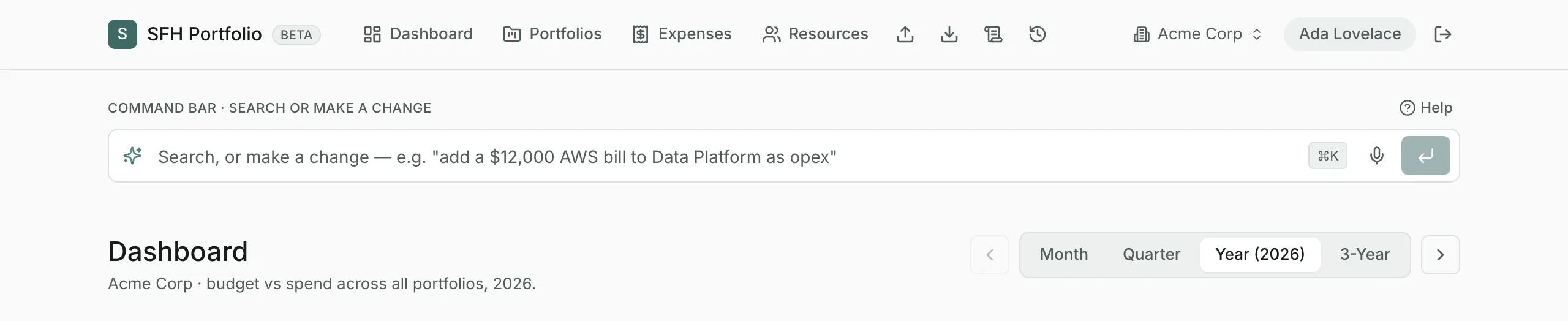
- Create a portfolio on the Portfolios page, or type
create a portfolio called Infrastructurein the command bar. - Add projects with the command bar, for example
create project Search in Infrastructure with a $150,000 budget. - Record expenses from a project's page or the Expenses page.
- On Resources, add your loaded labor rates, then your people, then allocate them to projects.
- Set this year's budget on Annual budgets so the Dashboard can compare spend with plan.
AI features and the daily allowance#
Making changes and asking questions in the command bar, importing files and drafting allocations use AI. Each person has a daily AI allowance, with shared limits for each organization and for the whole app, and they reset at midnight UTC. When an allowance runs out, the AI features say so and everything else keeps working.
Updated
Related topics
- Timeframes and fiscal yearsHow the Month, Quarter, Year, 3-Year and Lifetime views work, how to step between periods, and how fiscal years shape every figure.
- The command barSearch everything as you type, make changes in plain English, and ask questions about your data from the bar at the top of every page.
- DashboardBudget against spend across every portfolio for the period you choose, with what needs attention and where the money is going.