Organization and account
Annual budgets
Set one top-down budget per fiscal year, with optional limits for capex, opex and labor, for the Dashboard to measure spend against.
Open Annual budgets in SFH PortfolioWhat an annual budget does#
An annual budget is what your organization plans to spend in one fiscal year. The Dashboard's Total budget uses it, rather than adding up project budgets, and compares actual spend with it. Until a year has one, the Dashboard says no budget is set.
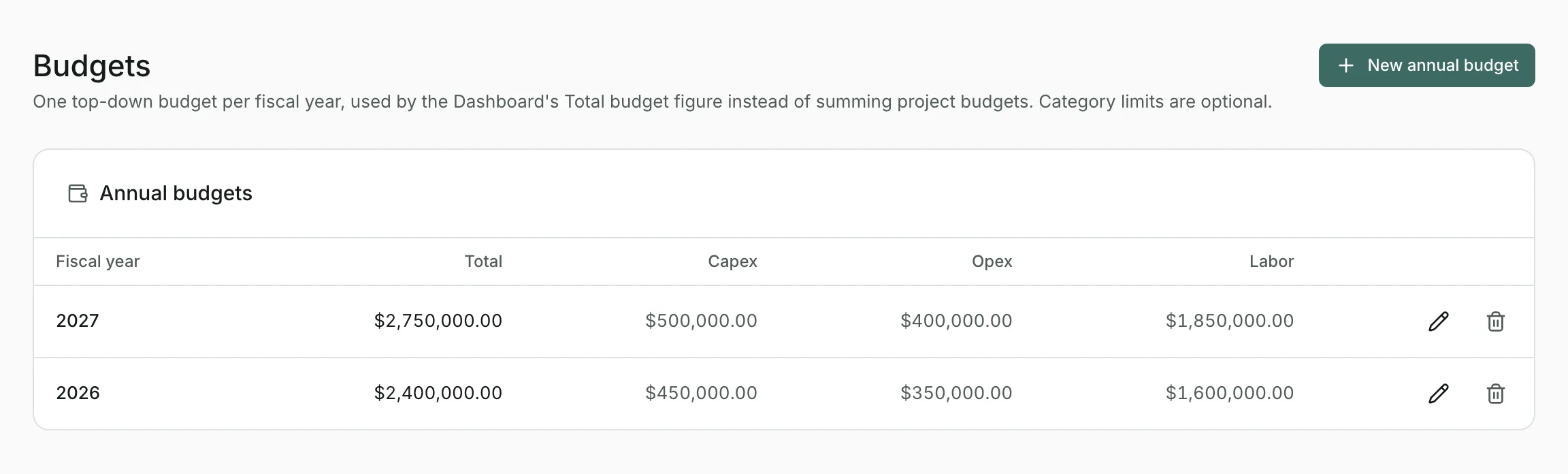
Setting a budget#
- Open Annual budgets from the organization menu at the top right.
- Select New annual budget and choose the Fiscal year.
- Enter the Total budget (USD), and limits for Capex, Opex and Labor if you want them.
- Select Create budget.
Category limits#
Capex, opex and labor limits are optional. When set, the Dashboard's category cards measure each category's spend against its limit.
Changing or removing a budget#
Edit a year's figures, or delete its budget, from the list. The Dashboard updates straight away.
Updated