Working in the app
Audit log
See every create, update and delete of your organization's financial data, who made it and when, with the values before and after.
Open Audit log in SFH PortfolioWhat's recorded#
Whenever anyone creates, updates or deletes a portfolio, project, expense, person, allocation, rate or budget, the audit log records who did it, when, and the values before and after.
Changes made with AI help, from the command bar, an import, drafted allocations or an app connected through Connect to Claude, are recorded under the person who approved them.
Reading an entry#
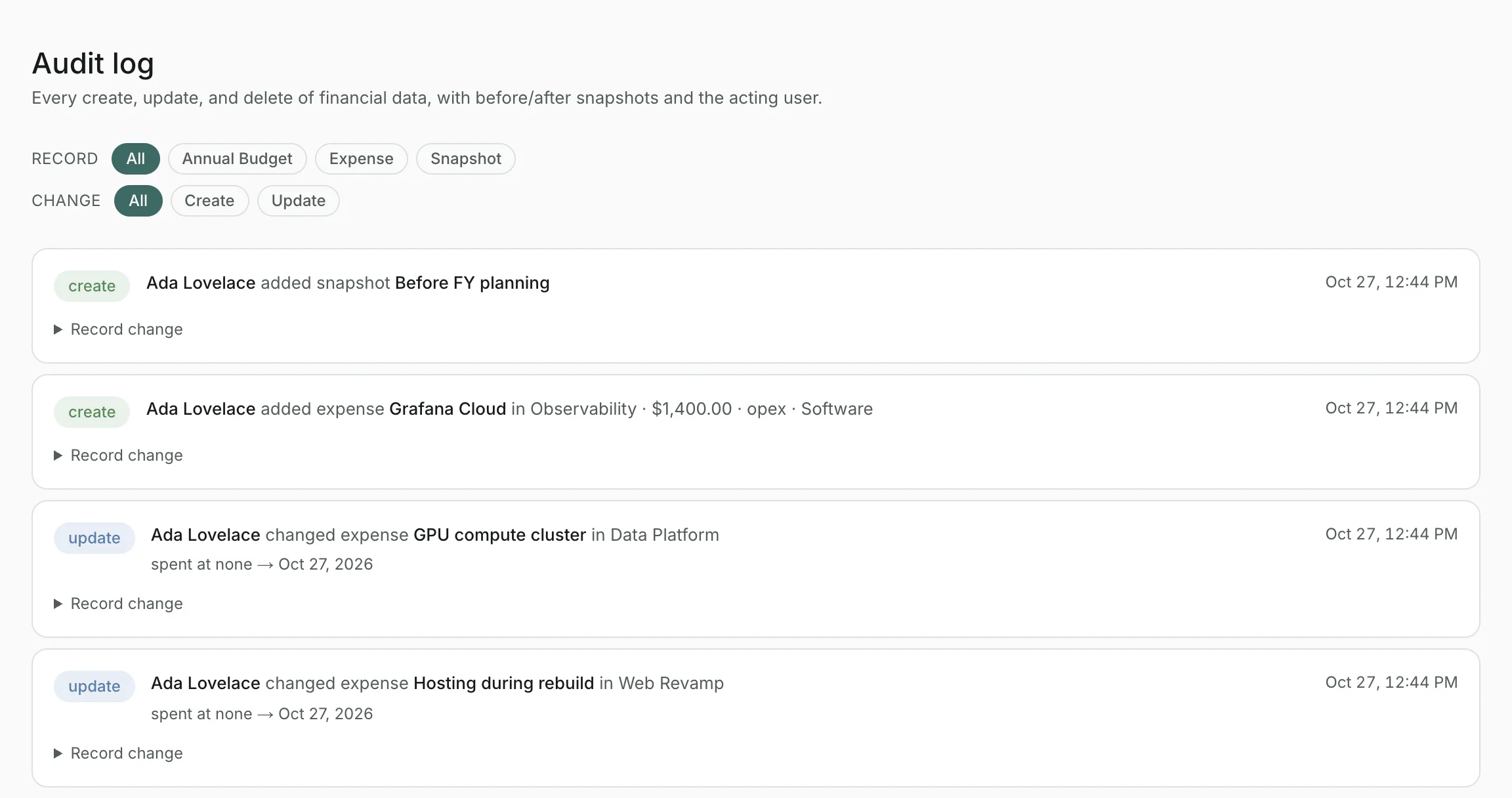
Each entry describes the change in a sentence, with a badge saying whether something was created, updated or deleted. Open Record change to see the full record before and after.
Filtering#
Use Record to show one kind of record, such as expenses, and Change to show only creates, updates or deletes.
Updated
Related topics
- Members and invitesInvite teammates with a link, choose who's an owner, remove people, and see the apps connected to your organization.
- SnapshotsSave a point-in-time copy of your organization's data and restore it later, for example before a large import. For organization owners.
- Connect to ClaudeUse SFH Portfolio from Claude or any app that supports remote MCP servers: ask about your data and, if you allow it, make changes.